-
PS5_RetroArch-v3.0.0-beta-3 Stable
dean released this
2026-10-18 23:09:27 -05:00 | 9 commits to main since this release📅 Originally published on GitHub: Sun, 18 Oct 2026 15:39:02 GMT
🏷️ Git tag created: Sun, 18 Oct 2026 15:36:08 GMTPS5_RetroArch-v3.0.0-beta-3

PS5 RetroArch is a passion project, not a piracy project.
It exists so you can play the games you own on the console you own.
- Piracy is not condoned.
- No games, BIOS files, console firmware or decryption keys are included, and they never will be.
- Use only legally obtained backups of games you own, made yourself from your own discs, cartridges or digital purchases.
- Use only BIOS and firmware files dumped from hardware you own.
- Requests for, or links to, games, BIOS files, firmware or keys are not welcome in this project's issues or discussions.
 Thank you
This beta carries the work of three contributors. Each pull request was reviewed, fitted to the port and played on a Base PS5 before it was taken.
Contributor What they brought 
Martin Pham
@MartinPhamHome screen forwarders (#34): the --rom,--coreand--exit-after-gamelaunch options that start one game straight from a home screen tile. Game Forwarder is built on them.
Jorge Feitosa
@jorgemakerdevSwanStation (#54), with platform work adapted from AngelXex's SwanStationPS5. melonDS DS with the DualSense microphone and the touchpad stylus (#53, #52). RetroAchievements for FLAC CHDs (#50). 
Marco Tundo
@BuffMcBigHugeFrame Generation pacing (#62): with Frame Generation off, each game frame is shown exactly once, and turning it on or off takes effect at once. Your games, one tile away. Two more cores. Frames paced to your display.
 At a glance
What's new What it brings 
Game ForwarderAny game from your library as a home screen tile of its own, with its picture and name. 
SwanStationA second PlayStation core, drawing with Vulkan. 
melonDS DSA second Nintendo DS core: your DualSense is its microphone, its touchpad the stylus. 
Frame GenerationPaced to your display: full speed on 60 Hz outputs, and each frame shown once when it is off. 
RetroAchievementsNow with CHD discs whose audio is compressed with FLAC. 
Your libraryContent folders take ES-DE's system names, and archived cartridge games are found. In this release
Game Forwarder · SwanStation · melonDS DS · Frame Generation · RetroAchievements · Your library
Played on a Base PS5 · Upgrading · Source and credits
Game Forwarder. Your games, on the home screen.Make a home screen tile for any game in your library, right from the WebUI. Each tile is a small title of its own: open it and RetroArch starts straight into that game, with the core you chose.

- Open Game Forwarder in the WebUI and choose New tile.
- Choose the system, each listed with its console, then the game.
- Set the name the home screen shows and the core; the game's own core is chosen for you.
- Choose the picture: box art, 3D box, logo, cartridge or disc, screenshot, title screen or fan art. Fill the square or fit the picture inside it, and add the system's icon in the bottom right corner if you like.
- Choose Create tile, then close RetroArch. Your tile appears on the home screen.
- Close RetroArch when the game ends, or carry on in your frontend afterwards: each tile keeps your choice.
- Edit or delete a tile at any time. A new name or picture, and a deleted tile, reach the home screen a few seconds after RetroArch closes.
- Games in your content folder or on a USB or extended storage drive can have a tile.
- Tiles need ShadowMountPlus 1.7 or later, with its API on (its default). The page says so when ShadowMountPlus does not answer.
Forwarders made with other tools work too: they start PS5 RetroArch with
--rom <file>,--core <core>and--exit-after-game, as the README describes. SwanStation, a second PlayStation coreSwanStation joins Beetle PSX HW, which stays the PlayStation default. It draws with Vulkan on the same GPU device as RetroArch, and its recompiler runs natively on the PS5. Choose it for a game or a whole playlist from RetroArch's menu; its options are in the WebUI's Settings, under its core profile.
It reads the same BIOS files as Beetle PSX HW, from
system/. Use only a BIOS dumped from a PlayStation you own. melonDS DS, with your DualSense as its microphonemelonDS DS joins DeSmuME, which stays the Nintendo DS default.
- The touchpad is the stylus, as it is in DeSmuME.
- Your DualSense is the microphone. RetroArch now reads the controller's microphone for any core that asks for one. melonDS DS listens only while its microphone button is held, and a muted DualSense sends silence.
- Turn the microphone off for every core in RetroArch's Settings → Audio → Microphone.
Frame Generation, paced to your display- Full speed on 60 Hz outputs. In v2.0.0-beta-2, a TV or monitor without 120 Hz showed each picture twice, so games ran at half speed with broken sound. RetroArch now times the display's real refresh rate when it starts: on a 60 Hz output a 120 fps target becomes 60, and a 30 fps game still gets a frame made between its own. 120 Hz and VRR displays keep 120.
- Off means off. With Frame Generation turned off, each game frame is shown exactly once, whatever it was set to before.
- On and off take effect at once. Switching Frame Generation in the menus restarts the video output for a moment, as changing the Target Framerate already did.
RetroAchievements for FLAC-compressed discschdmancompresses CD audio with FLAC by default. RetroArch can now open those CHD images itself to compute a disc's RetroAchievements hash. Before, the core played them, but the hash failed and achievements stayed off for those games. Your library, in EmulationStation's layout- Content folders take ES-DE's system names, such as
content/psx,content/ps2andcontent/snes, socontent/is laid out as EmulationStation expects. - Folders from earlier builds are renamed for you on the first start, or merged when nothing clashes. Your playlists, per-folder overrides, core options, shader presets and remaps follow them. Folders you named yourself stay as they are.
- Archived cartridge games are found for the Mega Drive, Master System, SG-1000, Game Gear, 32X, PC Engine and SuperGrafx, even though their cores also run disc systems.
- EmulationStation shows your games from its very first start. On a fresh install it used to stay empty until the second.
- Add Game puts each game in its system's ES-DE folder.
Played on a Base PS5Everything below ran on a Base PS5 from this series' builds.
What How it went Game Forwarder Tiles made, renamed, given new pictures and deleted from the WebUI. Each tile started its game with its core and closed after it: Super Nintendo in Snes9x, Mega Drive in Genesis Plus GX, NES in FCEUmm. The home screen showed the picture the page drew, system icon included. SwanStation Booted the PlayStation BIOS and a disc with Vulkan, up to 59.9 new frames a second. melonDS DS Ran at 60 frames a second. The microphone driver opened, captured and closed cleanly; a game that uses the microphone is still to be tried. Frame Generation A 60 Hz output measured at 59.94 Hz, with the target set to 60. A VRR display generated at 120 with the core at full speed. Turned off mid-game, each game frame was shown once from that moment. RetroAchievements A CD FLAC CHD hashed offline, where every candidate console failed before. EmulationStation Older folders renamed and merged, the library written on the first start, 35 cores listed with no failures.  Upgrading from v2.0.0-beta-2
- Back up your existing title folder, especially configuration, saves, states, system files, content and any custom media.
- Merge the complete
PPSA99169folder from the beta package into your installation, keeping your own files and configuration. - Fully close and reopen PS5 RetroArch. The first start renames your content folders to ES-DE's names; your playlists and per-folder settings follow.
- For Game Forwarder, load ShadowMountPlus 1.7 or later before opening the WebUI's Game Forwarder page.
No games, BIOS files, console firmware, or decryption keys are supplied. Use only legally obtained backups of games you own and system files dumped from hardware you own.
 Source, licences, and credits
Changes since v2.0.0-beta-2. Release source; component source links and exact revisions are included in
licenses/components.json. SwanStation and melonDS DS are built from their own repositories at pinned revisions, under the GPL-3.0.Snes9x, FinalBurn Neo, Genesis Plus GX, PicoDrive, Opera, and the Alekfull NX theme carry non-commercial restrictions. This distribution may not be sold, and this release carries no donation link. The package's
licenses/directory records component licences and exact source revisions. RPCS3 is not included.Thank you to AngelXex, whose SwanStationPS5 the SwanStation port's platform work is adapted from; to drakmor for ShadowMountPlus, which puts Game Forwarder's tiles on the home screen; to the SwanStation, melonDS and melonDS DS developers; to the tester whose v2.0.0-beta-2 logs found the 60 Hz slowdown; and to the RetroArch/libretro community, emulator and ES-DE developers, PS5 homebrew contributors, and everyone testing and reporting issues. Interface icons come from Microsoft Fluent Color; system artwork from the Linear ES-DE theme.
Ready to get started? Available releases · Installation guide · Source and credits
Downloads
-
PS5_RetroArch-v0.6.7-alpha.6 Pre-Release
2026-10-04 23:16:59 -05:00 | 143 commits to main since this release📅 Originally published on GitHub: Mon, 05 Oct 2026 04:18:34 GMT
🏷️ Git tag created: Mon, 05 Oct 2026 04:16:59 GMTPick your frontend. Play it all in RetroArch.
PS5 RetroArch v0.6.7-alpha.6 opens on a pre-screen that starts RetroArch or EmulationStation, adds up to four controllers, installs verified updates from the WebUI and fixes the Manual Scan crash.
Download the title ZIP · Installation guide · Screenshot catalog
PS5 RetroArch is a passion project, not a piracy project.
It exists so you can play the games you own on the console you own.
- Piracy is not condoned.
- No games, BIOS files, console firmware or decryption keys are included, and they never will be.
- Use only legally obtained backups of games you own, made yourself from your own discs, cartridges or digital purchases.
- Use only BIOS and firmware files dumped from hardware you own.
- Requests for, or links to, games, BIOS files, firmware or keys are not welcome in this project's issues or discussions.
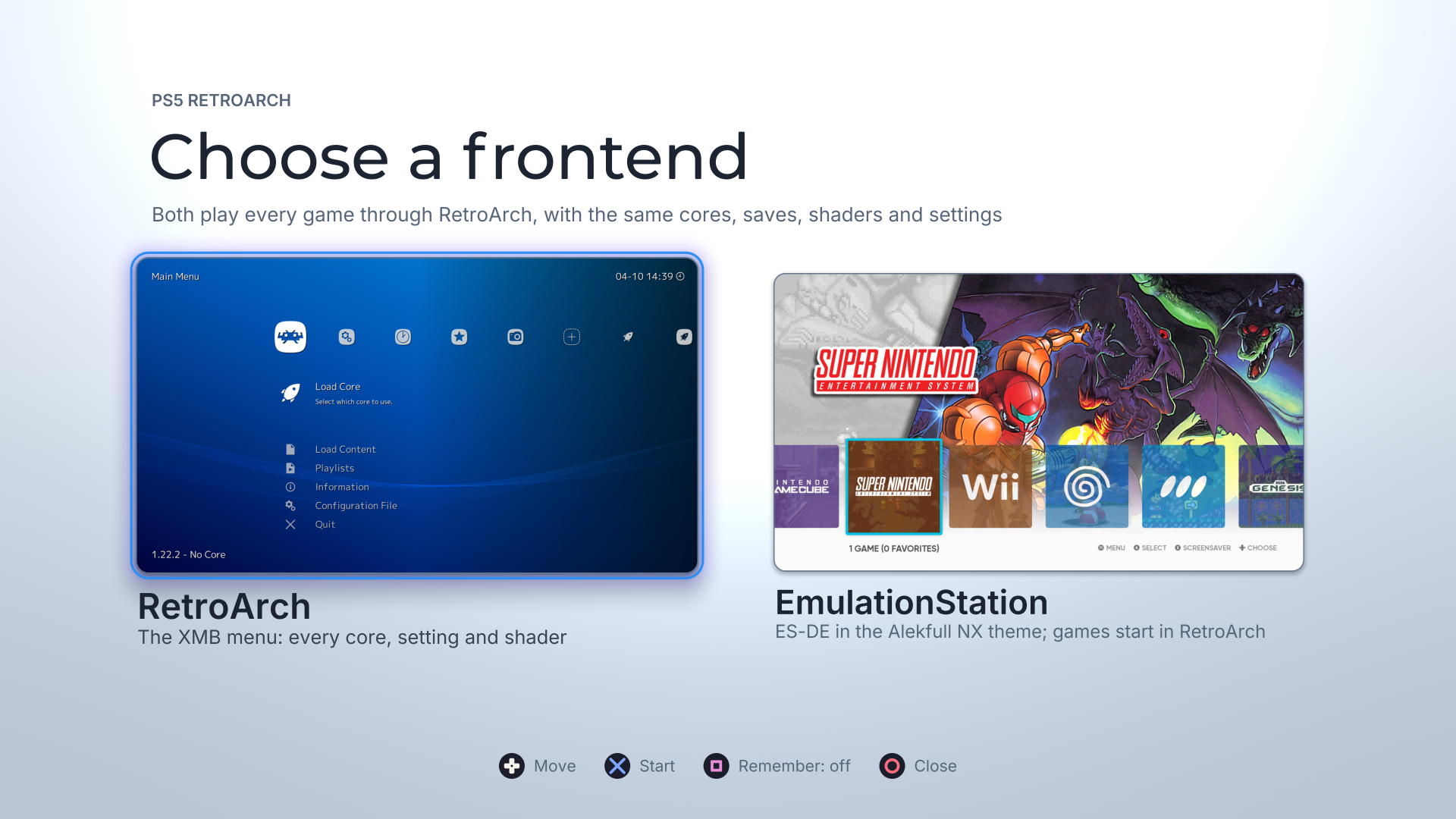
Choose a frontend · RetroArch’s XMB or EmulationStation, both playing every game through RetroArch.
Captured on the console. Both use the same cores, saves, shaders and settings.At a glance
What’s new Where to start Pre-screen · RetroArch or EmulationStation, with your choice remembered if you like Open the title EmulationStation · ES-DE 3.5.0 with Alekfull NX, sound and your RetroArch library Its card on the pre-screen Up to four controllers · one per signed-in PS5 user, each with its own rumble Sign in on another controller WebUI · verified updates from the console, BIOS alerts and Start with http://<PS5-IP>:6769Display sizes · 3840×2160, 2560×1440 and 1920×1080 video_fullscreen_x,video_fullscreen_yFixes · Manual Scan, the menu’s search and logs you can send Nothing to set Two frontends, one RetroArch
- A pre-screen when the title starts. Move with the D-pad, start a frontend with Cross, close the title with Circle. Each card shows the frontend it starts, captured on the console.
- Remember your choice. Press Square to switch Remember on, and the title starts that frontend straight away from then on. Hold L1 while the title starts to come back to the pre-screen. The WebUI’s new Start with setting changes it from your phone or computer: Ask every time, RetroArch or EmulationStation.
- Quitting goes where you expect. Quitting RetroArch or EmulationStation returns to the pre-screen. With a frontend remembered, it closes the title, as RetroArch alone always did.
- Each frontend runs on its own. Switching restarts the title as the frontend you chose, in about a second, so each one has the console’s full memory and nothing of the other stays behind.
EmulationStation on PS5
ES-DE 3.5.0, built for the console.
- Alekfull NX by default, with ES-DE’s own Linear theme also included.
- Smooth browsing at 58–60 fps, after an OpenGL driver fix that removed a full-screen cache flush from every frame.
- Sound. ES-DE’s navigation sounds play through the PS5’s audio output.
- Your library, not a second one. Its systems and game lists come from RetroArch’s playlists every time it starts. A game you add or remove in RetroArch appears or goes in EmulationStation; nothing is scanned twice.
- Every game starts in RetroArch, with RetroArch’s cores, saves, states, shaders, overlays, remaps and settings. Close the content and you are back in EmulationStation, on the same game, with its play count and time recorded.
- Favorites and Last Played. RetroArch’s favourites, history and play time fill EmulationStation’s Favorites and Last Played collections, and a favourite set in either frontend shows here.
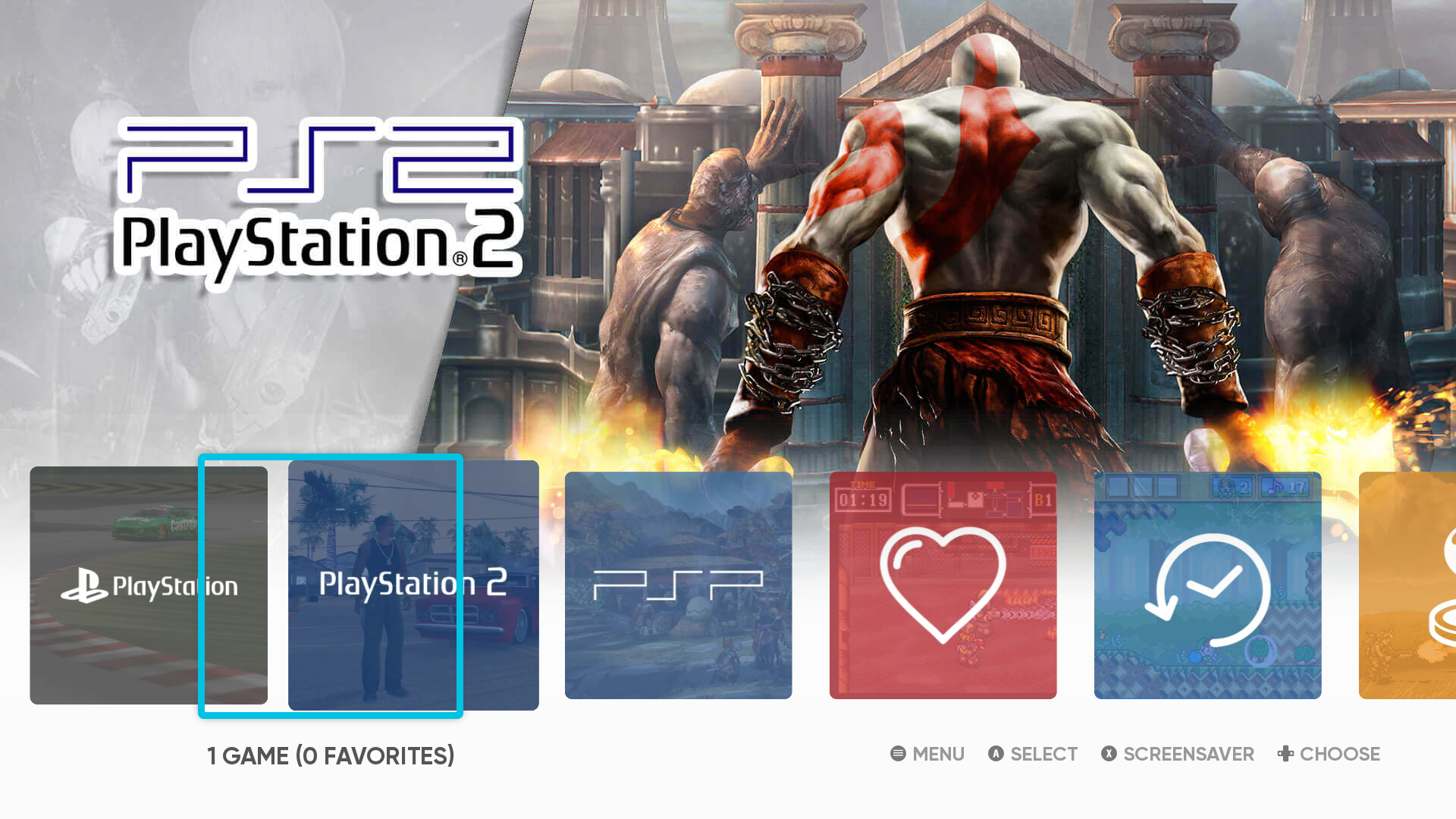
Favorites and Last Played · the heart and the clock, beside your systems.
Captured on the console.Up to four controllers
- One controller per signed-in PS5 user. Player 1 is whoever started the title; each other signed-in user’s controller becomes the next player.
- Players follow the signed-in users. A user who signs in during a session takes the first free player within about a second; one who signs out is let go.
- Per-controller rumble and DualSense haptics.
To add a player, turn on another controller and sign in as another user or a guest.
The WebUI
- Verified updates from the console. Download a published release and check it; choosing Install closes RetroArch, installs it and closes the title. Open it again to run the new version. Your configuration, saves, states and content are kept.
- BIOS alerts tell you when a core’s BIOS file is missing.
- Start with chooses the frontend the title opens on.
Display
The Vulkan driver now offers 3840×2160, 2560×1440 and 1920×1080, not 4K alone. RetroArch still starts at the largest; set
video_fullscreen_xandvideo_fullscreen_yto choose a smaller one. Each size was checked filling the TV.Fixes
- Manual Scan no longer crashes when you open Content Directory again after creating a playlist. The same fault affected the menu’s search, Explore filtering and Load Content’s return to the last folder; all of them are fixed, and the build now refuses the kind of missing function that caused it.
- Logs you can send with a bug report. Each launch keeps its own
trace.txt(the previous one istrace.1.txt), and a game started from EmulationStation logs toretroarch-game.log, so it no longer overwrites RetroArch’s ownretroarch.log.
PlayStation 3
I’ve decided to discontinue my RPCS3 port for PS5 due to unresolved licensing compatibility concerns and legal uncertainty around the integration. Resolving those issues would require more time and resources than I’m prepared to commit, so I’m focusing on my other projects.
No build of this title includes RPCS3 any more.
Tested scope and alpha limits
Verified on a base PS5, firmware 13.40
- The pre-screen, both frontends and every handover between them: choosing, quitting, Remember, Start with, and a launch straight into a remembered frontend.
- A game started from EmulationStation in RetroArch, closed through the Quick Menu’s Close Content, returning to EmulationStation with its play recorded.
- Two controllers as players 1 and 2 in a racing game.
- RetroArch’s favourites and play time in EmulationStation’s collections.
- EmulationStation’s sound output, checked through its audio device status.
- The display sizes above, each filling the TV.
Not yet verified
- EmulationStation with more than one controller, and a controller joining or leaving during a RetroArch session.
- Holding L1 on a real pad at launch; the pad read itself works.
- An update installed from the WebUI that closes the title instead of starting the pre-screen (covered by tests).
- EmulationStation’s scraper and other online features, and sound in video previews.
- The PS5 Pro, for the frontends.
This is an alpha release: compatibility varies by core, game and workload.
Install or upgrade
- Back up your existing title folder.
- Merge the complete
PPSA99169folder into your launcher’s installation location. It adds two folders,es-de/andpicker/. Preserve yourconfig, saves, states, system files and content; do not replace your configuration with a fresh default. - Open the title. It now opens on the pre-screen. To start RetroArch directly as before, choose it with Remember on, or set Start with to RetroArch in the WebUI.
No games, BIOS files, firmware or keys are included. Use only legally obtained backups of games you own and system files dumped from hardware you own.
Licences
EmulationStation (MIT) and the libraries it uses are listed with their licence texts in the package’s
licenses/: SDL2, PS5 OpenGL with Mesa, FFmpeg (LGPL-2.1-or-later), curl, Mbed TLS, FreeType, HarfBuzz, ICU, pugixml, libwebp and stb.Snes9x, FinalBurn Neo, Genesis Plus GX and the Alekfull NX theme (CC BY-NC-SA 2.0) are under non-commercial terms: this release may not be sold, and it carries no donation link.
Source and credits
Built from the commit tagged v0.6.7-alpha.6. Corresponding source archives, licence notices and checksums accompany this release, including EmulationStation’s source and the sources of every library it links. See the package’s
licenses/for exact revisions.Thanks to:
- the ES-DE team (Northwestern Software AB, Leon Styhre and contributors);
- fagnerpc and anthonycaccese for Alekfull NX;
- BlackBearReloaded for PS5 OpenGL and the UI kit the pre-screen is drawn with;
- the ProsperoEden project, whose controller handling the multiplayer support follows.
Downloads
-
2026-10-02 15:01:53 -05:00 | 172 commits to main since this release📅 Originally published on GitHub: Fri, 02 Oct 2026 20:08:43 GMT
🏷️ Git tag created: Fri, 02 Oct 2026 20:01:53 GMTYour library. Your look. Your PS5.
PS5 RetroArch v0.6.0-alpha.6 brings the browser companion, guided settings and a complete offline video-effects library into one release.
Download the title ZIP · Installation guide · Screenshot catalog
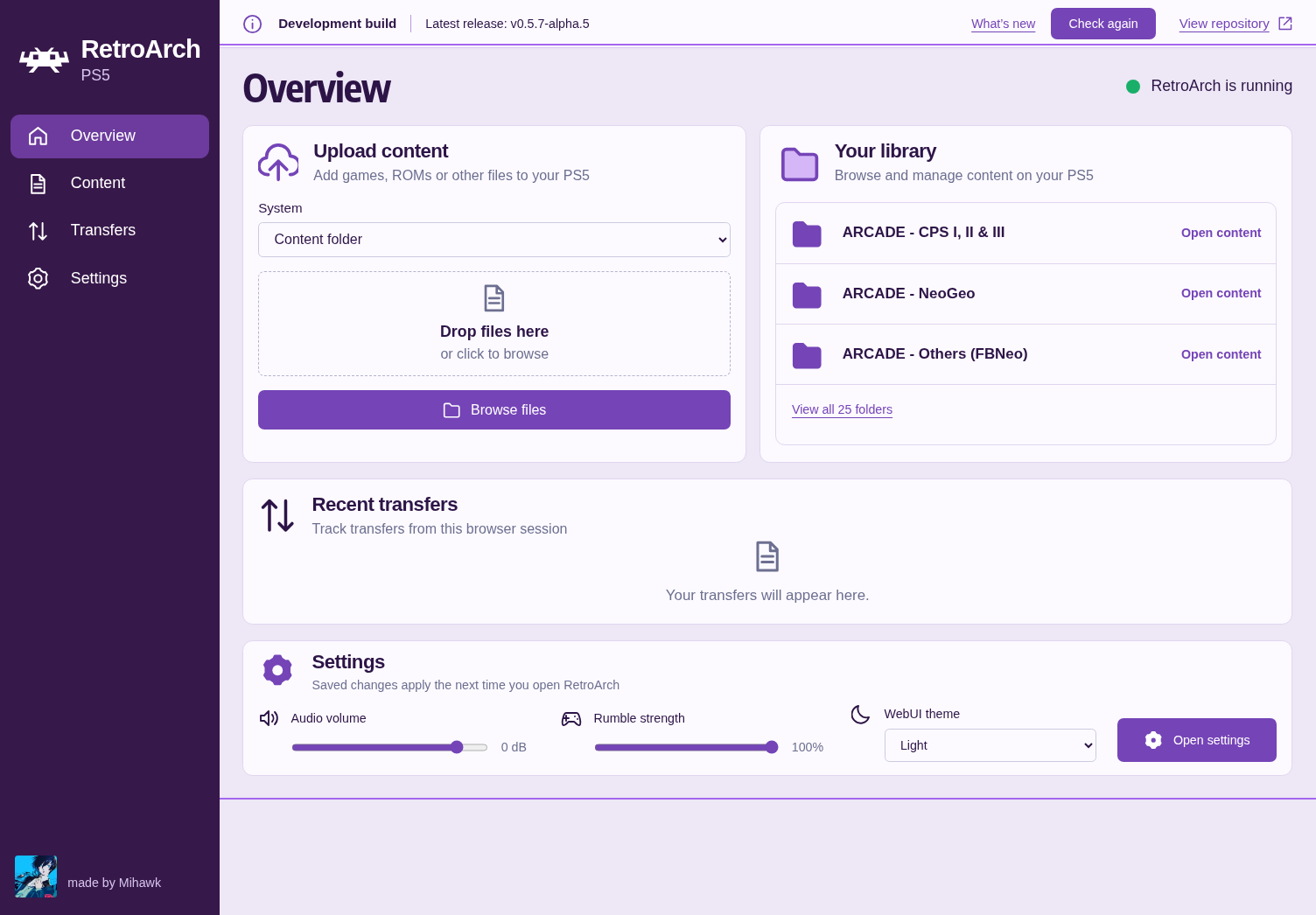
WebUI Overview —
http://<PS5-IP>:6769
Open it from your phone or computer on the same network while RetroArch is running.A browser companion, ready when you are
- Built in and enabled by default. The lightweight purple WebUI starts and stops with RetroArch. Its interface, fonts and artwork work offline.
- Your library within reach. Upload content, browse and create folders, download files and follow transfers. Uploads can be cancelled and do not overwrite existing filenames.
- Know when an update arrives. Release status and “What's new” distinguish available updates, current versions, development builds and failed checks. Checking GitHub needs internet access; updates are not installed automatically.
- Settings that explain themselves. Edit global RetroArch preferences and per-core profiles. Guided mode groups options by purpose, offers supported choices and explains what each setting does. Advanced mode retains direct configuration controls.
- Every release core has a guide. All 15 shipped cores have option catalogs available before first launch; runtime-dependent options appear when registered. The layout also has a more comfortable desktop scale and supports narrow screens.
Save settings, then restart RetroArch to apply them. Existing content-specific overrides may take precedence. Keep this unauthenticated local service on a trusted network; do not forward port 6769.
Give every screen its own character
Feature Included offline Where to start GPU shaders 2,658 Slang presets, including CRT effects, lookup textures, multipass and temporal effects Quick Menu → Shaders CPU filters 27 built-in implementations and 62 upstream filter configurations Settings → Video Standard overlays Common overlays and overlay borders with their artwork Settings → On-Screen Display → On-Screen Overlay Shader bezels Mega Bezel: 660 presets; koko-aio: 183 presets, included in the Slang total Quick Menu → Shaders → Load Preset Adjust shader parameters and save presets globally, per core, per content directory or per game. All four save scopes were reloaded successfully on the console. CPU filters process software-rendered frames; they do not filter GPU-only core output.
The missing-half overlay is fixed. Both triangles now render with the correct texture coordinates and alpha. Landscape, portrait and overlay-plus-shader layouts were checked on PS5. A separate padded-input correction keeps shader history and feedback coordinates aligned.
The build pins complete dependency trees and audits the staged title and extracted ZIP.
video-assets.jsonrecords versions, six path corrections and five unusable upstream files excluded from packaging. No Mega Bezel or koko-aio preset is excluded. Development overlay fixtures are never shipped.Screenshot catalog · captured on PS5
These are unedited console captures. Click an image for the original. Artwork and game content are not supplied as playable content.
Shader bezels
Mega Bezel · Potato koko-aio · Fast Monitor Balanced 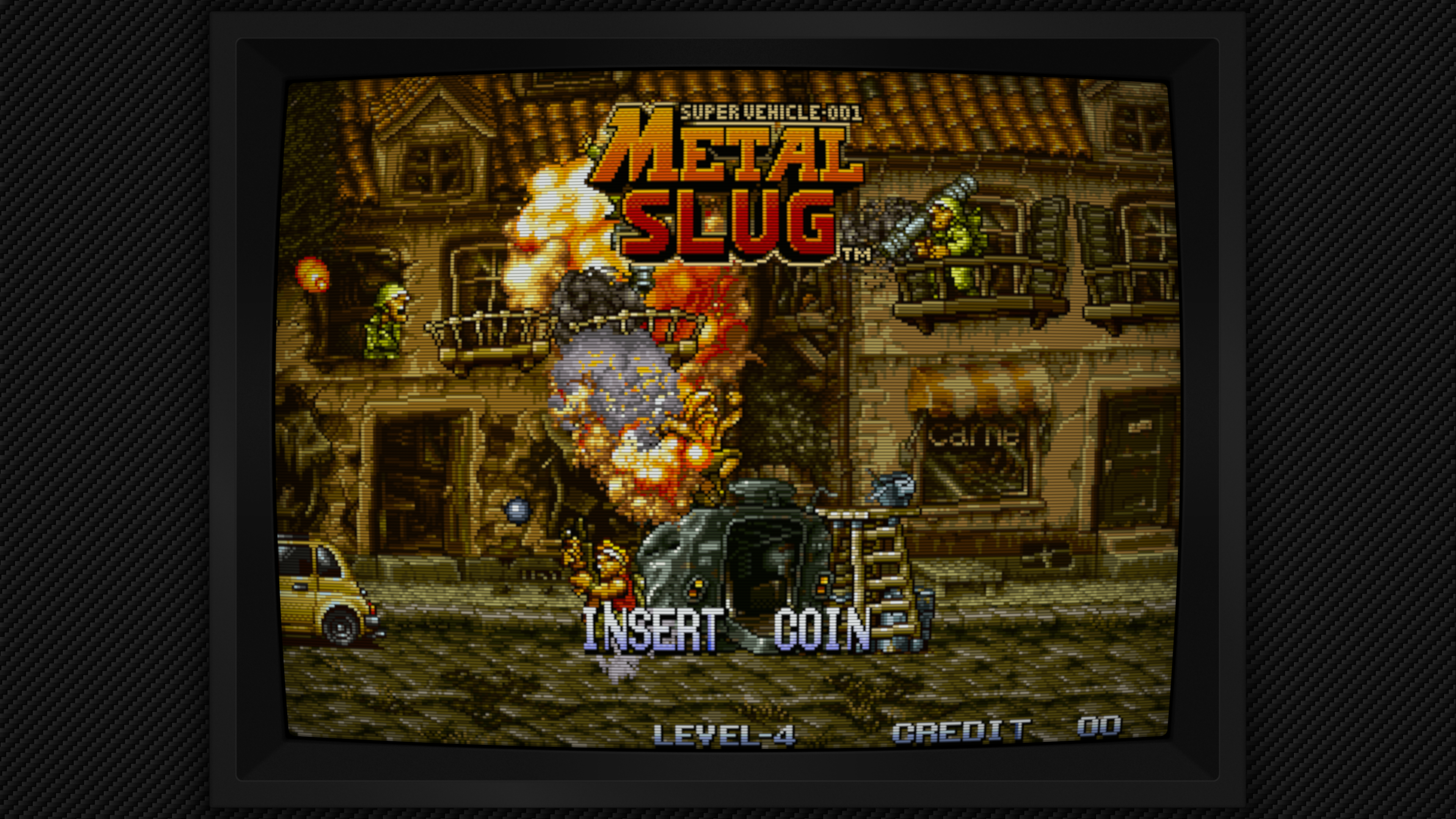
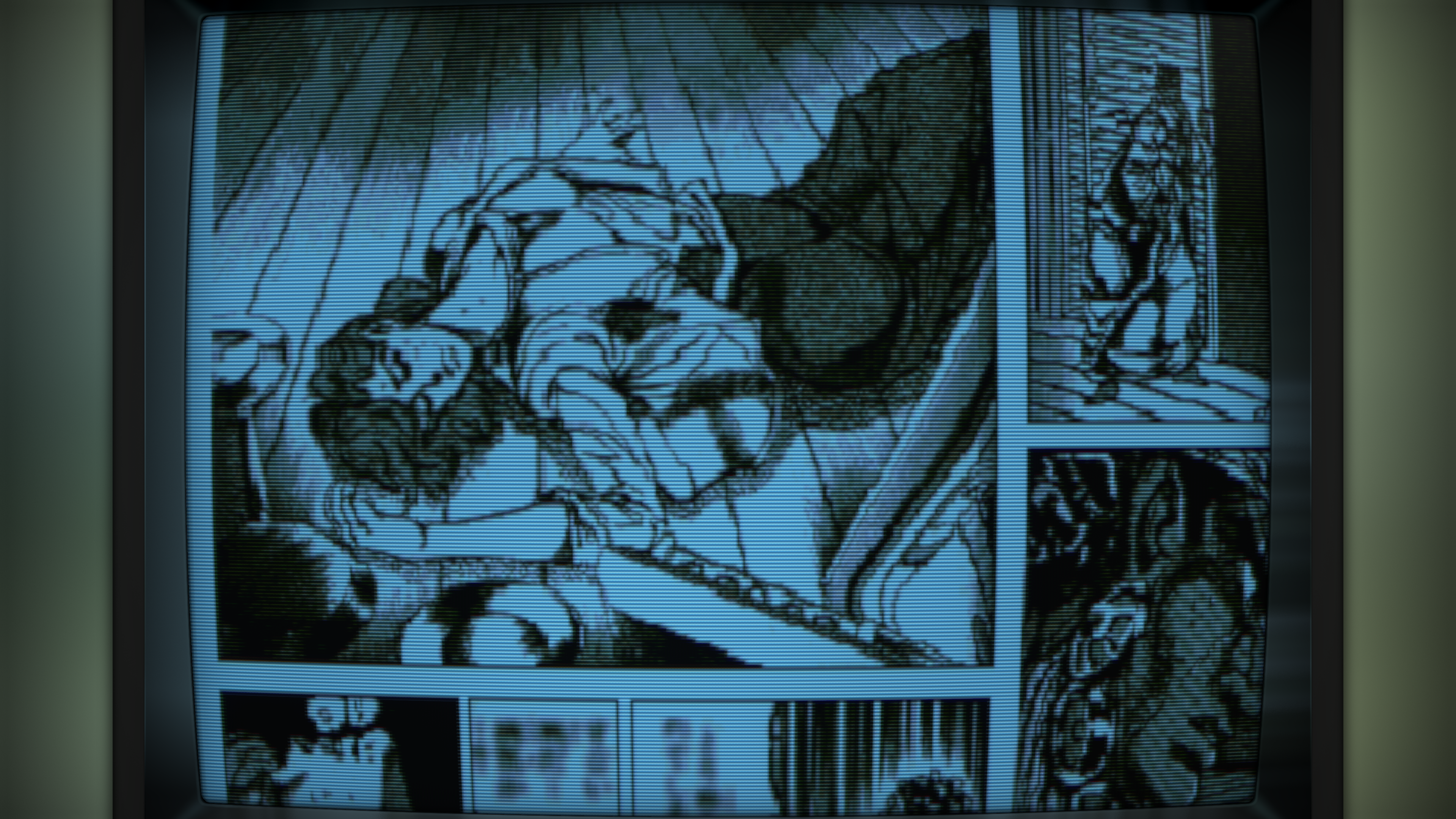
Overlays and filters
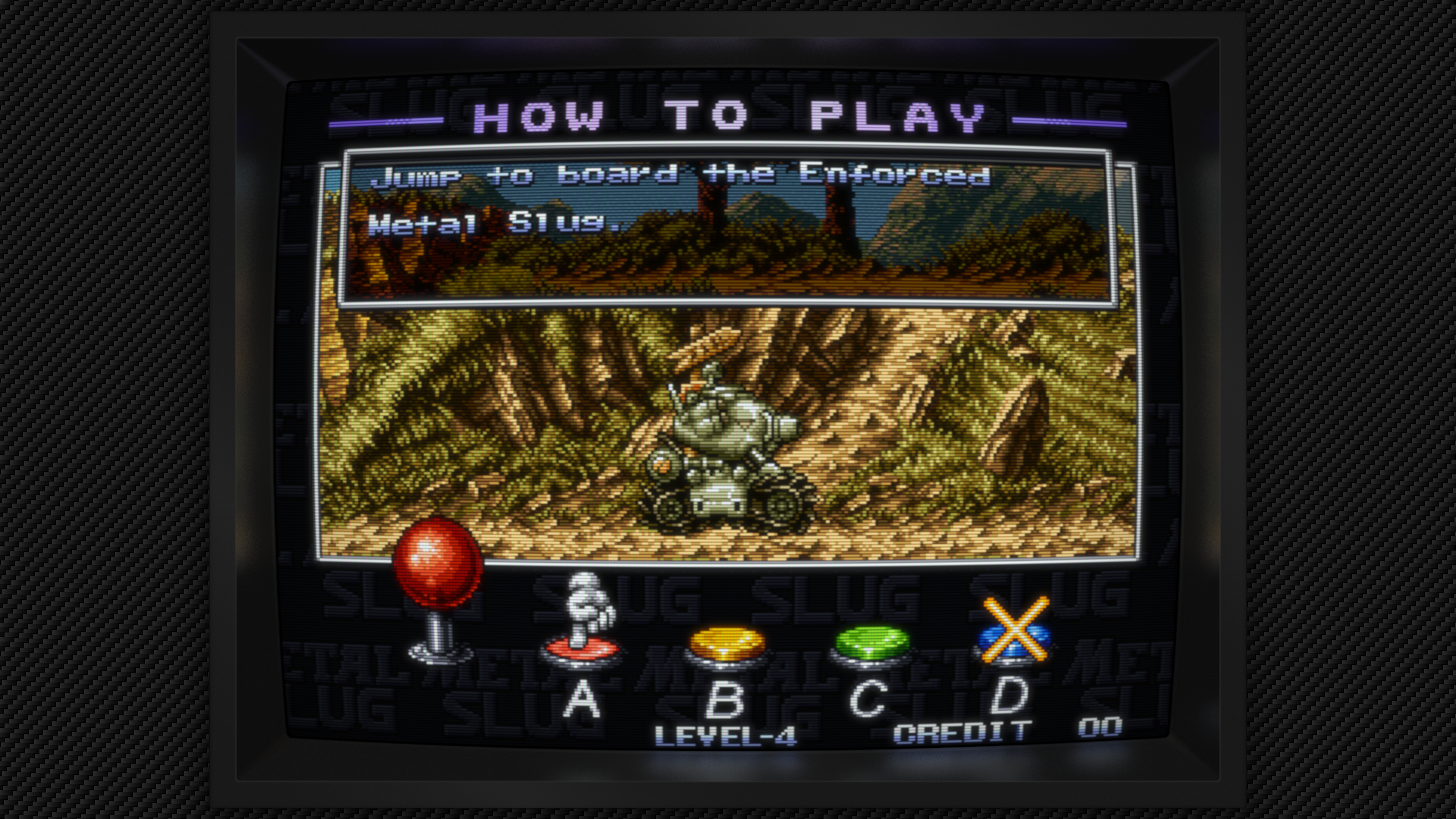
Production TV overlay + CRT Easymode CPU Scale2x 
View Mega Bezel Advanced
Stability, input and sensible defaults
- Balanced graphics defaults replace unnecessarily high showcase resolutions. PPSSPP defaults to 6× internal resolution with 8× MSAA; saved user options still win.
- Better memory handling: shared-memory pressure reporting and PPSSPP framebuffer allocation recovery improve failure handling. This is not a claim that every save-state or allocation failure is resolved.
- Saturn fixes: automatic Saturn folders, BIOS lookup under
system/Saturn, executable JIT allocation and corrected cropped-frame ownership. Boot and gameplay were checked on console. - DualSense: rumble and guarded haptic streaming, with safer handling of unavailable or changing audio/input state.
- Fifteen release cores, refreshed documentation, preserved user configuration and faster verified asset deployment. RPCS3 remains excluded.
Tested scope and alpha limits
Representative PS5 tests cover single-pass CRT, LUT, history/feedback, Normal2x/Scanline2x/Scale2x, transparent production overlays, landscape/portrait fixtures, combined shaders and overlays, and several Mega Bezel and koko-aio complexity levels. A PPSSPP Vulkan smoke test also rendered CRT Easymode and exited normally; other hardware-core effect combinations remain unverified. Selected software workloads sustained approximately 59.94 core-frame callbacks/s with a 3840 × 2160 render target. Presentation calls are measured separately; they are not extra emulated frames.
The tested high-refresh output negotiated 1440p at 120 Hz despite the 4K render target. This release does not claim verified 4K120 HDMI output. Full-library compatibility, a long switching/memory soak and exact-frame PC parity are not established. CRT-Royale's interrupted run remains inconclusive. Decorative overlays are supported; touch/mouse interaction is not supported by the native PS5 input driver. Artwork does not automatically resize the game viewport: adjust its aspect ratio and viewport to fit.
Install or upgrade
Back up your existing title folder, then merge the complete
PPSA99169folder into your launcher’s installation location. Preserve yourconfig, saves, states, system files and content; do not replace your configuration with a fresh default. No games, BIOS files or firmware are included.Source and credits
Built from the commit tagged v0.6.0-alpha.6. Corresponding source archives, license notices and checksums accompany this release. See the package’s
licenses/andvideo-assets.jsonfor exact revisions and credits.Thanks to the RetroArch/libretro teams, core authors, PS5 payload and Vulkan contributors, and the shader and overlay artists. Snes9x, FinalBurn Neo and Genesis Plus GX include non-commercial restrictions and may not be sold. FinalBurn Neo also prohibits soliciting donations for projects using its code.
Made by Mihawk.
Downloads
-
PS5 RetroArch - Alpha 5.7 Pre-Release
2026-10-01 08:42:22 -05:00 | 184 commits to main since this release📅 Originally published on GitHub: Thu, 01 Oct 2026 13:43:33 GMT
🏷️ Git tag created: Thu, 01 Oct 2026 13:42:22 GMTPS5 RetroArch v0.5.7-alpha.5
Native RetroArch for jailbroken PS5 consoles, rendering through RADV.
Important
Piracy is not condoned. This release contains no games, no BIOS files, no
console firmware and no decryption keys, and none will ever be provided or
linked to. Use only legally obtained backups of games you own, made
yourself from your own discs, cartridges or digital purchases, and BIOS or
firmware files dumped from hardware you own. Please don't ask for, or
post links to, games, BIOS files, firmware or keys in issues or discussions:
they will be removed.Warning
PlayStation 3 (RPCS3) is not in this release, and it will not be in any
future release. RPCS3 is licensed GPL-2.0-only; this port is
GPL-3.0-or-later, and the two cannot legally be distributed together as one
program. Its source is public: if you want RPCS3, you must compile it
yourself from source, for your own console, and not share the binaries
you build. See the README's "PlayStation 3 (RPCS3): build it yourself".What's new
- New 4K launcher background. The starry night sky over a glowing magenta
grid is back on the PS5 home screen, now drawn at full 4K (3840×2160) instead
of being stretched from 1080p, so the stars and grid lines are sharp. It's
drawn by a script in this repository (tools/make-title-art.py), so every
file in the package has a known origin and licence. v0.5.6-alpha.5 had a
plain gradient there while this was redrawn.
Everything else is v0.5.6-alpha.5: the same 15 cores, byte for byte, the same
graphics driver and the same settings. Its
release notes
describe that release's changes, including the Nintendo 64 fix, and what was
tested.The only other change is in the test tooling: pad scripts, which run only when a
pad-script.txtfile is in the title folder, can now set a core option. Nothing
changes for normal use.Updating from v0.5.6-alpha.5
Copy the complete
PPSA99169folder as usual, or, if you prefer, only these two
files into the title folder you already have:sce_sys/pic0.ddsand
sce_sys/pic1.dds.Testing
Because the only visible change is the background, I didn't re-run the cores
on the console for this release. Compared with v0.5.6-alpha.5's package, the
only files that differ are the two backgrounds,eboot.bin(the pad-script
change above), the licence notices and the file manifest. The package passed
the host checks: format, unit, build, integration and evidence, and the
release check (every part's licence and published source listed, no RPCS3
file). The background files were decoded and compared with the drawing, and
their file header is byte for byte that of the launcher art the console has
shown since the first release. v0.5.6-alpha.5's measurements are in its notes.Known issues
The same as v0.5.6-alpha.5:
- Nintendo 64: a new upscaling factor takes effect only when the game is
started again (Close Content, then load it), although the option's help text
says "at the next frame". - EXTERNAL is empty for now. The console's app sandbox hides USB drives and
extended storage from the title. Keep games under INTERNAL (content/in the
title folder). - Sega Saturn needs your own BIOS (
mpr-17933.binfor US/EU or
sega_101.binfor JP, insystem/). Gameplay is still untested. - A GameCube game I test with slows to about 76 to 85% at some transitions in
Dolphin; Dolphin's first start of a game compiles its shaders while it boots;
MAME's vector games at 4K are untested; the 60 Hz fallback still needs
confirming on a 60 Hz TV; PAL PS2 games can look uneven at 120 Hz; PS2 games
in.7zarchives are not unpacked; black flicker on a Wii game's world map.
Install
- Copy the complete
PPSA99169folder to your homebrew title location, for
example/data/homebrew/PPSA99169/, and launch it from your homebrew
launcher. - Updating keeps your
config/,savefiles/,savestates/,system/and
content/. Settings you've already saved are kept, not replaced by new
defaults. - Put your own legally obtained backups in
content/(a folder per system
works well) and BIOS files dumped from your own hardware insystem/(PS2:
system/pcsx2/bios/). No games or BIOS files are included, and none will be. - Read
LEGAL.txtin the title folder.
Reporting problems
Include the core, the file format and any settings you changed. After the
problem, and before relaunching, copytrace.txtandretroarch.logfrom
the title folder: a new launch replaces them. Never attach or link game files,
BIOS files, firmware or keys.Source
This ZIP was built from PS5_RetroArch commit
59a35aec4ee0c35d713a049e0b840726d6aa2695, which is this release's tag. The
source of every part is attached to this release, and the title'slicenses/
folder lists every part's licence and source revision. RPCS3's source is at
PS5_RPCS3; no RPCS3 file is in this
package. Snes9x, FinalBurn Neo and Genesis Plus GX are licensed for
non-commercial use only: this package may not be sold.Build
Build identity
7b396c4fcb6d78f65be434a3ee70b2dbc27f1c52d10f868fbfae20b8cdc2fae0Component Version RetroArch 1.22.2 with this port's patches (libretro/RetroArch 69a4f0e)Graphics driver RADV from PS5_Mesa 0b2d6d1(the same archive as v0.5.6-alpha.5), linked by PS5_Vulkan3f3ee69PS5 payload SDK fork cd3b239FCEUmm 236ccdfmGBA 7a12d6dSnes9x fae2feaFinalBurn Neo 6bb3167Genesis Plus GX c2838c7PPSSPP v1.20.4 ( fa50bb1)Dolphin 2609 (libretro/dolphin c663000)LRPS2 PS5_LRPS2 9c2eea4Beetle PSX HW PS5_BeetlePSX e43b398Mupen64Plus-Next PS5_Mupen64Plus 763e7f5Beetle Saturn PS5_BeetleSaturn 41a8a4bVICE x64sc PS5_VICE 2b4b5e3MAME 0.289, PS5_MAME fa592b0DeSmuME PS5_DeSmuME 532c50eAzahar PS5_Azahar 4598458RPCS3 not included: source only, PS5_RPCS3 SHA-256 of
PS5_RetroArch-v0.5.7-alpha.5.zip:
312fb9f3879a8bc10a5cc894974a1466adb3f4528e3aeb59c12f6fd8257c1f80Downloads
- New 4K launcher background. The starry night sky over a glowing magenta
-
PS5 RetroArch - Alpha 5.6 Pre-Release
2026-09-30 18:05:10 -05:00 | 191 commits to main since this release📅 Originally published on GitHub: Thu, 01 Oct 2026 12:45:56 GMT
🏷️ Git tag created: Wed, 30 Sep 2026 23:05:10 GMTPS5 RetroArch v0.5.6-alpha.5
Native RetroArch for jailbroken PS5 consoles, rendering through RADV.
Important
Piracy is not condoned. This release contains no games, no BIOS files, no
console firmware and no decryption keys, and none will ever be provided or
linked to. Use only legally obtained backups of games you own, made
yourself from your own discs, cartridges or digital purchases, and BIOS or
firmware files dumped from hardware you own. Please don't ask for, or
post links to, games, BIOS files, firmware or keys in issues or discussions:
they will be removed.Warning
PlayStation 3 (RPCS3) is not in this release, and it will not be in any
future release. RPCS3 is licensed GPL-2.0-only; this port is
GPL-3.0-or-later, and the two cannot legally be distributed together as one
program. Its source is public: if you want RPCS3, you must compile it
yourself from source, for your own console, and not share the binaries
you build. See PlayStation 3: compile it yourself below.Highlights
- Nintendo 64 frame drops fixed. Some of you reported Nintendo 64 games
dropping frames, with crackling audio, and upscaling that seemed impossible
to change. The core now upscales 4× by default (8× is still available), and
my test game runs at a steady 59.9 fps with clean audio. Details below. - Every core re-tested before release. Every core in this package ran its
game on the console with the exact files in this ZIP: boot, the menu opened
and closed twice, Close Content, and the same game loaded again, with the
frame rate, audio and picture checked before and after. (Beetle Saturn only
as far as it goes without a BIOS, which I don't have.) - Licensing made explicit. A
LEGAL.txtfile now sits at the top of the
title folder, and the same notice openslicenses/README.txt: no piracy, and
RPCS3 only compiled from source. The README says the same wherever games,
system files or licences come up. - New launcher background. The title's background on the PS5 home screen
had been converted from an image whose origin wasn't recorded. It's now a
gradient drawn by a script in the repository (tools/make-title-art.py), so
every part of the package has a known origin and licence.
Nintendo 64: frame drops and resolution scaling
What you saw. Nintendo 64 games started fine, then dropped frames
constantly; the audio clipping gave it away. The
resolution scaling option seemed to do nothing.Why. ParaLLEl-RDP, the core's GPU renderer, was set to its maximum, 8×
upscaling (2560×1920 for a 320×240 game, then scaled to 4K). On my console,
my test game at 8× kept the GPU busy long enough that the core waited on it
for about 2.4 seconds of every 10; at 4× it waited 0.2 seconds, about ten
times less. That left 8× no margin: the logs you sent showed each GPU
submission taking about twice as long as on my console, and the game running
at roughly 75 to 85% speed. And the upscaling factor is read only when a game
starts, so a change in the Quick Menu shows nothing until the game is started
again, which made the option look broken.What changed.
- 4× is the new default on the PS5 (1280×960 for a 320×240 game), still
far above the N64's own resolution and sharp at 4K. On my console my test
game runs at 59.9 fps with clean audio. - To change the factor, pick 1×, 2×, 4× or 8× under Quick Menu → Core
Options → ParaLLEl-RDP → Upscaling factor, then Close Content and load the
game again: the new factor is used from the next start. The option's help
text in this version says it takes effect at the next frame. That's wrong:
I wrote the code for it, but my test on the console showed the change doesn't
happen until the game restarts (see Known issues).
If you're updating: your saved options are kept, including an 8× that
the previous version saved for you. Set Upscaling factor to 4x once
(Quick Menu → Core Options → ParaLLEl-RDP), then Close Content and load the
game again. It's saved from then on."Textures are very sharp in some places." That's how upscaling looks, not a
wrong setting: ParaLLEl-RDP draws the game's polygons at the higher resolution,
while the N64's own textures stay at their original size. At 8× the edges are
razor sharp and some textures look blocky next to them; at 4× the difference is
smaller. The options below Upscaling factor (native texture LOD, native
resolution TEX_RECT, VI filtering) change that look, if you prefer another.PlayStation 3: compile it yourself
RPCS3 runs on my console, but it is not, and will not be, distributed as a
binary. RPCS3's licence is GPL-2.0-only. This title, and the runtime linked
into every core it loads, are GPL-3.0-or-later, and those two licences don't
allow the combination to be handed out as one program. So what I publish is
the source:- my PS5 fork of RPCS3, PS5_RPCS3;
- this repository's build scripts, which build it along with everything else.
To use it, build the whole title yourself on your own machine, as the README
describes under "PlayStation 3 (RPCS3): build it yourself":
bash tools/build-title.shwithPS5_RELEASE_TAGleft unset. A release
build leaves RPCS3 out, and a release title can't load an RPCS3 core built on
its own. Keep what you build for your own console. Don't share, upload or
redistribute it.RPCS3 needs your own copy of the PS3 system software (
PS3UPDAT.PUP, from
Sony's official PS3 system software update page) insystem/RPCS3/, and your
own games: discs you own and dumped yourself, or PSN purchases with their
.raplicence files. The same rules apply: piracy is not condoned.On my console build, for reference:
- A 60 fps game: 4K at 60 fps in gameplay (59.6 to 59.7 fps).
- A 30 fps game: 4K held at 30 fps. A game with only an "Unlock FPS" patch
now runs it with RPCS3's own frame limit at 30 by default (the "Frame-rate
patches" option: "60 FPS or steady 30"), which paces frames evenly where the
game's own 30 fps cap turned a slightly late frame into a 50 ms one. It's a
steady 30 in most scenes; the busiest still dip to 24 to 27 fps.
Tested for this release
The ZIP's own build on my console, each core with a game I own: frame rate
over 10 to 25 seconds after boot and again after a reload, audio, crashes, and
a screenshot each time.Core After boot After Close Content and reload Audio FCEUmm 60.2 fps 60.2 fps clean mGBA 60.2 fps 60.2 fps clean Snes9x 59.9 fps 59.9 fps clean FinalBurn Neo 59.9 fps 59.9 fps clean Genesis Plus GX 59.9 fps 59.9 fps clean PPSSPP 59.9 fps 59.9 fps clean Dolphin 30.0 fps, the game's own rate 30.0 fps clean LRPS2 59.9 fps 59.9 fps clean Beetle PSX HW 59.9 fps 59.9 fps clean Mupen64Plus-Next (4×) 59.9 to 60.0 fps 59.9 fps clean Beetle Saturn refuses to load without a BIOS, as expected; the menu stays usable VICE x64sc (a .d64disk)50.4 fps (PAL) 50.4 fps clean MAME 59.9 fps 59.9 fps clean DeSmuME 59.9 fps 59.9 fps clean Azahar 59.9 fps 59.9 fps clean No crash in any of them, and each one closed and reopened its game cleanly.
In the measured windows no frame took longer than 40 ms, except four in
Dolphin: frames of 45 to 49 ms, against the game's usual 33 ms. Audio was
clean in every core; the first audio window after each start covers the game
booting and plays 88 to 99% of the time. I don't have a Saturn BIOS on my
console, so Beetle Saturn's gameplay is still untested.None of the games I tested with is provided.
Other changes
- Graphics driver. RADV (PS5_Mesa
0b2d6d1a61d) gains an optional
threaded command-recording layer. It's off, so rendering is unchanged; it
passed a 474,440-case conformance run with two fixes made along the way, and
stays off until it measures faster in a game. - Platform layer. The payload SDK fork adds a CPU topology probe, a
diagnostic only. - Release builds leave RPCS3 out by themselves, and the release check
fails on any RPCS3 file, so a PS3 core can't end up in a package by mistake. - Test tooling. Pad-script frame marks count frames that miss a 30 fps
slot, the measure behind "a steady 30".
Known issues
- Nintendo 64: a new upscaling factor takes effect only when the game is
started again (Close Content, then load it), although the option's help text
says "at the next frame". Making it apply while the game runs is my next
Nintendo 64 change. An upscaling factor saved by an earlier version is kept
when you update (see above). - EXTERNAL is empty for now. The console's app sandbox hides USB drives and
extended storage from the title. Keep games under INTERNAL (content/in the
title folder). - Sega Saturn needs your own BIOS (
mpr-17933.binfor US/EU or
sega_101.binfor JP, insystem/). Gameplay is still untested. - Carried over from v0.5.5-alpha.5, not re-checked in this release: a
GameCube game I test with slows to about 76 to 85% at some transitions in
Dolphin; Dolphin's first
start of a game compiles its shaders while it boots; MAME's vector games at 4K
are untested; the 60 Hz fallback still needs confirming on a 60 Hz TV; PAL PS2
games can look uneven at 120 Hz; PS2 games in.7zarchives are not
unpacked; black flicker on a Wii game's world map.
Install or update
- Copy the complete
PPSA99169folder to your homebrew title location, for
example/data/homebrew/PPSA99169/, and launch it from your homebrew
launcher. - Updating keeps your
config/,savefiles/,savestates/,system/and
content/. Settings you've already saved are kept, not replaced by new
defaults. - Put your own legally obtained backups in
content/(a folder per system
works well) and BIOS files dumped from your own hardware insystem/(PS2:
system/pcsx2/bios/). No games or BIOS files are included, and none will be. - Read
LEGAL.txtin the title folder.
Reporting problems
Include the core, the game, the file format and any settings you changed. After
the problem, and before relaunching, copytrace.txtandretroarch.log
from the title folder: a new launch replaces them. Never attach or link game
files, BIOS files, firmware or keys.Source
This ZIP was built from PS5_RetroArch commit
aa1735ab650719617a917ec67a171af89ffb23dd, which is this release's tag. The
source of every part is attached to this release, and the title'slicenses/
folder lists every part's licence and source revision. RPCS3's source is at
PS5_RPCS3; no RPCS3 file is in this
package. Snes9x, FinalBurn Neo and Genesis Plus GX are licensed for
non-commercial use only: this package may not be sold.Build
Build identity
a299f69c6bbb3f824287f9e20173bc83c04338f2d26fe94da193537157fc0f31Component Version RetroArch 1.22.2 with this port's patches (libretro/RetroArch 69a4f0e)Graphics driver RADV from PS5_Mesa 0b2d6d1, built by PS5_Vulkand609d71PS5 payload SDK fork cd3b239FCEUmm 236ccdfmGBA 7a12d6dSnes9x fae2feaFinalBurn Neo 6bb3167Genesis Plus GX c2838c7PPSSPP v1.20.4 ( fa50bb1)Dolphin 2609 (libretro/dolphin c663000)LRPS2 PS5_LRPS2 9c2eea4Beetle PSX HW PS5_BeetlePSX e43b398Mupen64Plus-Next PS5_Mupen64Plus 763e7f5(new: 4× upscaling by default)Beetle Saturn PS5_BeetleSaturn 41a8a4bVICE x64sc PS5_VICE 2b4b5e3MAME 0.289, PS5_MAME fa592b0DeSmuME PS5_DeSmuME 532c50eAzahar PS5_Azahar 4598458RPCS3 not included: source only, PS5_RPCS3 SHA-256 of
PS5_RetroArch-v0.5.6-alpha.5.zip:
3ec415a23aa1c2c3d0ef94ef384c48b4b35b1bde50e3f0f7952cfb9f455e35c6Downloads
- Nintendo 64 frame drops fixed. Some of you reported Nintendo 64 games
-
PS5 RetroArch - Alpha 5.5 Pre-Release
2026-09-29 11:50:45 -05:00 | 212 commits to main since this release📅 Originally published on GitHub: Tue, 29 Sep 2026 23:20:55 GMT
🏷️ Git tag created: Tue, 29 Sep 2026 16:50:45 GMTPS5 RetroArch v0.5.5-alpha.5 (experimental)
Native RetroArch for jailbroken PS5 consoles, rendering through RADV.
Experimental build. This release is for those who can't wait. It brings
seven new cores before they would have gone through a full alpha
round. Everything below ran on my console, but these cores have had far less
play than the ones from earlier releases. Expect rough edges, and please
report what you find (see Reporting problems).Not included: RPCS3 (PlayStation 3). The PS3 core runs on my console, but
it is still unstable, and it stays out of releases until it isn't. More below.Highlights
- Seven new systems: PlayStation, Nintendo 64, Sega Saturn, Commodore 64,
arcade (MAME), Nintendo DS and Nintendo 3DS. Each has one core, chosen for how
well it runs on RADV and how far it upscales. By default each uses the highest
graphics settings that hold full speed in the games I tested. - A GameCube game's crash when leaving a mission is fixed. Dolphin needs a
small piece of executable memory for each vertex format a game uses. The title
handed out at most 128 of these, and the game passed that between a mission
and the main menu. There is no limit now, for every core with a JIT: Dolphin,
PPSSPP, Mupen64Plus-Next, DeSmuME and Azahar. On the console, 2,000 small
blocks and 300 larger regions were allocated, and each ran its own code. I
haven't replayed the exact mission-to-menu path yet. - Simpler content browsing. Load Content now shows two places: INTERNAL,
the title's own folder, and EXTERNAL, the console's external storage.
Parent Directory from either takes you back to those two, not to the console's
root folder. - Licences in the package. The title folder now carries a
licenses/folder:
the licence texts of every part, and a list tying each executable to its
source revision. The source of every part is attached to this release.
New cores
System Core PS5 defaults Tested on my console PlayStation Beetle PSX HW Vulkan renderer at 16×, 32-bit colour, PGXP (no wobbling polygons), the disc read into memory at load Full speed Nintendo 64 Mupen64Plus-Next ParaLLEl-RDP at 8× upscaling, ParaLLEl-RSP, JITs on Full speed after boot Sega Saturn Beetle Saturn upstream's Loads, then needs your BIOS (below). Gameplay not yet tested Commodore 64 VICE x64sc upstream's A .d64disk game, full speedArcade MAME 0.289 Raster games at native size, scaled on the GPU; vector games drawn at 4K Full speed Nintendo DS DeSmuME 5× (1280×960), JIT, eight rendering threads Full speed (6× ran at 93–95%) Nintendo 3DS Azahar Vulkan at 18×, asynchronous shaders, JIT Full speed after boot Each ran through boot, the menu opened and closed twice, Close Content from the
Quick Menu, and the same game loaded again. There was no crash, and every game
ran at full speed after the reload.What each core needs:
- PlayStation: runs without a BIOS (it has a built-in replacement). Your own
scph5501.bin(and the others the core lists) insystem/is used when there. - Sega Saturn: your own
mpr-17933.bin(US/EU) orsega_101.bin(JP) in
system/. Without it the game refuses to load, and the menu stays usable. - MAME: sets must match 0.289. Non-merged sets are simplest; keep BIOS sets
(such asneogeo.zip) in the same folder as the game.
Coming next: PlayStation 3
The RPCS3 core boots PS3 games, with its Vulkan renderer on RADV:
- One game reached gameplay at 4K.
- Another boots, saves and loads states, and runs at about 50 fps at 4K with a
frame-rate patch; the game was locked to 30 fps before.
Currently optimising RPCS3 around the PS5's own hardware. It isn't in this
build because it isn't stable yet.Update (v0.5.6-alpha.5): RPCS3 will not be in any release. It is licensed
GPL-2.0-only and this port is GPL-3.0-or-later, so the two cannot be
distributed together: if you want it, compile it yourself from source (see
the README). Piracy is not condoned.Known issues
- EXTERNAL is empty for now. The console's app sandbox hides USB drives and
extended storage from the title. Keep games under INTERNAL (content/in the
title folder) until that is solved. - A GameCube game (Dolphin) still slows to about 76–85% at some transitions,
and the audio stutters when it does. This isn't shader compiling: Dolphin's
emulation thread is waiting, and the game's memory emulation is slow on this
console. I'm working on it. - Dolphin's first start of a game compiles its shaders while the game boots.
A GameCube game's first 20 seconds ran at 83% and 92% speed. Later starts read the
shader cache. - Not yet tested: Saturn gameplay, and MAME's vector games at 4K.
- Carried over from Alpha 5: the 60 Hz fallback still needs confirming on a
60 Hz TV; PAL PS2 games can look uneven at 120 Hz; PS2 games in.7zarchives
are not unpacked; and there is black flicker on a Wii game's world map.
Install or update
- Copy the complete
PPSA99169folder to your homebrew title location, for
example/data/homebrew/PPSA99169/, and launch it from your homebrew launcher. - Updating keeps your
config/,savefiles/,savestates/,system/and
content/. Settings you've already saved there are kept, not replaced by new
defaults. - Put games in
content/(a folder per system works well) and BIOS files in
system/(PS2:system/pcsx2/bios/). No games or BIOS files are included.
Reporting problems
Include the core, the game, the file format and any settings you changed. After
the problem, and before relaunching, copytrace.txtandretroarch.log
from the title folder: a new launch replaces them.Source
This ZIP was built from PS5_RetroArch commit
[built commit], which is this
release's tag. The source of every part is attached to the release, and the
title'slicenses/folder lists every part's licence and source revision.
Snes9x, FinalBurn Neo and Genesis Plus GX are licensed for non-commercial use:
this package may not be sold.Build
Build identity
[identity]Component Version RetroArch 1.22.2 with this port's patches Graphics driver RADV from PS5_Mesa [revision], built by PS5_Vulkan[revision]PS5 payload SDK fork 4ba45cfPPSSPP v1.20.4 Dolphin 2609 (libretro/dolphin c6630001)LRPS2 PS5_LRPS2 9c2eea4Beetle PSX HW PS5_BeetlePSX e43b398Mupen64Plus-Next PS5_Mupen64Plus 98ec101Beetle Saturn PS5_BeetleSaturn 41a8a4bVICE x64sc PS5_VICE 2b4b5e3MAME 0.289, PS5_MAME fa592b0DeSmuME PS5_DeSmuME 532c50eAzahar PS5_Azahar 4598458(dynarmic from PS5_Dynarmic1df2a07)Downloads
- Seven new systems: PlayStation, Nintendo 64, Sega Saturn, Commodore 64,
-
PS5 RetroArch - Alpha 5 Pre-Release
2026-09-26 12:51:54 -05:00 | 240 commits to main since this release📅 Originally published on GitHub: Mon, 28 Sep 2026 12:25:44 GMT
🏷️ Git tag created: Sat, 26 Sep 2026 17:51:54 GMTPS5 RetroArch — Alpha 5 🎮
Native RetroArch for jailbroken PS5 consoles. This release changes the graphics
driver: the title now renders through RADV, Mesa's Vulkan driver for AMD
GPUs, ported to the PS5 in PS5_Vulkan.
It replaces ps5vk, the driver every earlier release used.Alpha. The games and paths below are the ones I have tested on my console.
Other games may still fail. Please report them (see Reporting problems).Highlights
- A new graphics driver. RADV is the driver Linux uses on AMD GPUs, with its
ACO shader compiler. It is built from my Mesa fork
(PS5_Mesa) with a PS5 layer for memory,
command submission and display, and it reports Vulkan 1.4. The menu, the five
software cores and the three GPU cores (PPSSPP, Dolphin, LRPS2) all render
through it. - PSP anti-aliasing. PPSSPP's MSAA works. It needs features ps5vk never had
(render pass 2 and depth/stencil resolve), so PPSSPP's MSAA setting was
previously ignored. - A shader cache on RADV. Compiled pipelines are kept in
radv-shader-cache/in the title folder. A game's second start reads them back
instead of compiling: with the cache filled, a PSP game in PPSSPP created its
pipelines in 29 ms instead of 1.4 s. - Faster shader compiles. Every allocation in the title used to wait on one
lock, and the emulators compile shaders on several threads at once. The title's
heap now gives each thread an arena of its own. PPSSPP compiling from an empty
cache: 2.0 s instead of 5.5 s, with no speed lost after boot. - A smaller package.
sce_module/libvulkan.so.1is gone: RADV is linked into
eboot.bin, and nothing loaded that library (a PS5 title cannot load one).
Tested on RADV for this release
On my console, with V-Sync on and a 120 Hz display:
- Every core with a game: FCEUmm, Snes9x, mGBA, Genesis Plus GX, FinalBurn
Neo, PPSSPP, Dolphin and LRPS2. Each ran through boot, the menu opened and
closed, Close Content from the Quick Menu, and the same game loaded again, with
Threaded Video on for four of them. No crash and no fatal signal, three times
over as the driver changed during the release work. - PPSSPP for ten minutes with Threaded Video and the menu opened 25 times: no
crash, every 10-second audio window at 98–100% speed. - The pictures: the PSP and PS2 games show the same frames as on ps5vk (the
rain and the video move with timing); the GameCube game's title screen renders
correctly. - Speed after boot: PPSSPP and Dolphin hold full speed once the game has
booted. LRPS2 does too, but for one late 10-second
window at 98.9%, where ps5vk had one at 99.4%.
The longer runs listed for v0.4.0-alpha.4 (an hour and 30 minutes of GameCube
play, and the other GameCube, Wii, PSP and PS2 games tested then) were on ps5vk
and have not been repeated on RADV yet.Fixed during the release work
Problem Status PPSSPP crashed within four seconds of starting a game with MSAA on Fixed in PPSSPP. It took the GPU's Vulkan version as usable although RetroArch opens Vulkan 1.1, so it called a Vulkan 1.2 function RADV correctly withheld. ps5vk never reached that path. Slow first compiles on several threads Fixed: the title heap's arenas (above). A filled shader cache still slow to read from several threads Fixed in the driver: each cache part is opened once, where every read used to reopen and lock its files. Known issues
- Dolphin's first start of a game. With an empty shader cache, Dolphin
compiles its ubershaders while the game boots. A GameCube game's first 20 seconds ran
at 83% and 92% speed; ps5vk managed 86% and 99% from an empty cache. Later
starts read the cache and match ps5vk. Making the first start as fast is the
next piece of work. - A GameCube game ran at 72–85% for stretches of its attract sequence on ps5vk.
It has not been measured on RADV yet. - 60 Hz displays. The driver measures the refresh rate after switching to
120 Hz and returns to 60 Hz if the display did not follow, as Alpha 4 did. My
display is 120 Hz, so this path still needs confirming on a 60 Hz TV. - PAL PS2 games (50 fps) on a 120 Hz output alternate two and three refreshes
per frame, which can look uneven. The console offers no 50/100 Hz mode. - PS2 games in
.7zarchives are not unpacked. Use ISO, CHD, CSO or another
supported disc format. - A Wii game: black flicker on its world map was reported and has not been
investigated yet.
Install or update
- Copy the complete
PPSA99169folder to your homebrew title location, for
example/data/homebrew/PPSA99169/, and launch it from your homebrew launcher. - Updating keeps your
config/,savefiles/,savestates/,system/and
content/. Settings already saved there, such as a core's internal
resolution, are kept rather than replaced by new defaults. - Put games in
content/and BIOS files insystem/(PS2:system/pcsx2/bios/).
No games or BIOS files are included. - After updating from an earlier release,
sce_module/libvulkan.so.1and
ps5vk-shader-cache/are no longer used and can be deleted. The first start of
each game compiles its shaders again, intoradv-shader-cache/.
Reporting problems
Include the core, game, file format and the settings you changed. After the
problem, and before relaunching, copytrace.txtandretroarch.logfrom the
title folder: a new launch replaces them.Build
Build identity
f96bdb0e26dc7e540b51d33e68a0e6933156b11b461058b671544a81c8436482Component Version RetroArch 1.22.2 with this port's patches Graphics driver RADV from PS5_Mesa cedb774(Mesa 26.2.0), built by PS5_Vulkan5d8f37dPS5 payload SDK fork 95c08f2PPSSPP v1.20.4 Dolphin 2609 (libretro/dolphin c6630001)LRPS2 PS5_LRPS2 6d14775with the port patchAll five host gates (format, unit, build, integration, evidence) pass: 74 Python
tests, and 52 recorded captures replay.Downloads
- A new graphics driver. RADV is the driver Linux uses on AMD GPUs, with its
-
PS5 RetroArch - Alpha 4 Pre-Release
2026-09-26 10:42:29 -05:00 | 245 commits to main since this release📅 Originally published on GitHub: Sat, 26 Sep 2026 15:48:13 GMT
🏷️ Git tag created: Sat, 26 Sep 2026 15:42:29 GMTPS5 RetroArch — Alpha 4 🎮
Native RetroArch for jailbroken PS5 consoles, rendering through
PS5_Vulkan. This release adds GPU-rendered
GameCube/Wii and PlayStation 2 emulation, and fixes every crash testers reported
on earlier builds.Alpha. The games and paths below are the ones I have tested on my console.
Other games may still fail. Please report them (see Reporting problems).Highlights
- Eight cores. Dolphin (GameCube and Wii), LRPS2 (PlayStation 2) and
PPSSPP (PSP) render on the PS5's GPU through PS5_Vulkan, beside FCEUmm, mGBA,
Snes9x, FinalBurn Neo and Genesis Plus GX. - PlayStation 2 at 4K. LRPS2 uses its Vulkan hardware renderer by default at
6x internal resolution, with multi-threaded VU1. The games I tested run at
full speed on my console.
You need your own PS2 BIOS insystem/pcsx2/bios/. - GameCube and Wii. Dolphin 2609 with its JIT and fast memory. Five GameCube and Wii
games are tested; one ran for an hour and another for 30 minutes with no crash. - PSP. PPSSPP v1.20.4 on its Vulkan renderer with JIT: the tested games run at
10× internal resolution. - 120 Hz output where the display supports it, with the correct 60 Hz fallback.
- Faster save states. A 50 MB PS2 save state is written without stdio, which
was the slow part.
Fixed from tester reports
Report Status in this release Crash after closing a game (seen with an SNES game) Fixed. The video driver was being re-created on a RetroArch thread, and the console gives such threads only 64 KiB of stack. It crashed with Threaded Video on. RetroArch's threads now get 2 MiB, and the stack-heavy code moved to the heap. I reproduced the crash, then confirmed the fix on the console. A PSP game crashing after one to two minutes Fixed in the GPU driver: its internal lists were changed from several threads at once without a lock. A new driver test reproduces the corruption on the old driver and passes on the new one. PPSSPP ran a 10-minute soak with the menu opened 25 times and did not crash. Every game at half speed with V-Sync on Fixed. On a display that only refreshes at 60 Hz, the console accepted the 120 Hz mode and kept refreshing at 60 Hz, so each frame was shown twice. The driver now measures the real refresh rate and falls back to 60 Hz. My display is 120 Hz, so the 60 Hz path still needs confirming on a 60 Hz TV. A GameCube game crashing after about three minutes Fixed (a race in Dolphin's dual-core GPU FIFO). With the half-speed fix, V-Sync on is the recommended setting on every display.
Stability work in this release
- Every thread the title, RetroArch and the driver start now asks for an adequate
stack instead of the console's 64 KiB default. - Driver state that several threads can reach is atomic or locked. A debug-table
counter could write past its array when two threads recorded commands at once. - Before release, every core was run with a game: boot, menu open and close, then a
Quick Menu action, with Threaded Video on for half of them and V-Sync on
throughout. There were no crashes and no fatal signals.
Known issues
- Shader compilation stutter. The first time a game needs a new shader, it can
hitch while the shader compiles; later runs load it from the cache. Dolphin's
default is still Synchronous compilation, and the driver compiles one pipeline
at a time. Asynchronous compilation is the next piece of work. - A GameCube game runs at 72–85% for stretches of its attract sequence, even with
every shader cached. The cost is the driver's CPU work, and it is being worked on. - PAL PS2 games (50 fps) on a 120 Hz output alternate two and three refreshes per
frame, which can look uneven. The console offers no 50/100 Hz mode. - PS2 games in
.7zarchives are not unpacked. Use ISO, CHD, CSO or another
supported disc format. - A Wii game: black flicker on its world map was reported and has not been
investigated yet.
Install or update
- Copy the complete
PPSA99169folder to your homebrew title location, for
example/data/homebrew/PPSA99169/, and launch it from your homebrew launcher. - Updating keeps your
config/,savefiles/,savestates/,system/and
content/. Settings already saved there, such as a core's internal resolution,
are kept rather than replaced by new defaults. - Put games in
content/and BIOS files insystem/(PS2:system/pcsx2/bios/).
No games or BIOS files are included.
Reporting problems
Include the core, game, file format and the settings you changed. After the
problem, and before relaunching, copytrace.txtandretroarch.logfrom the
title folder: a new launch replaces them.Build
Build identity
870bd1bb94d9c35e7ec0efdf32ebfe457500bac3c4387376b7b0ea2e3c42957aComponent Version RetroArch 1.22.2 with this port's patches PS5_Vulkan driver 40e9d30PPSSPP v1.20.4 Dolphin 2609 (libretro/dolphin c6630001)LRPS2 PS5_LRPS2 6d14775with the port patchAll five host gates (format, unit, build, integration, evidence) pass, and so does
the driver's host test suite.Downloads
- Eight cores. Dolphin (GameCube and Wii), LRPS2 (PlayStation 2) and
-
PS5 RetroArch - Alpha 3 Pre-Release
2026-09-25 05:28:27 -05:00 | 266 commits to main since this release📅 Originally published on GitHub: Fri, 25 Sep 2026 16:40:32 GMT
🏷️ Git tag created: Fri, 25 Sep 2026 10:28:27 GMTPS5 RetroArch — Alpha 3 🎮
This release adds Dolphin (GameCube) to PS5 RetroArch, with support for up to 6× internal resolution through PS5_Vulkan. It also fixes save-state loading, frame pacing and several driver issues found while bringing Dolphin to the PS5.
✨ What's new
- Dolphin at up to 6× internal resolution. Lower the resolution in Quick Menu → Core Options if a game or setting is too demanding.
- Large GameCube save states now load without crashing. RetroArch's large buffers use a separate memory pool, leaving room for Dolphin's compiled code.
- More even frame pacing in Dolphin. Dolphin supplies one frame for each frame step, including repeated frames.
- Fixed slowdown at 120 Hz. RetroArch can request five swapchain images when displaying each game frame twice. This removed a measured 4–12% speed loss in heavier settings.
- Fixed a texture leak when reloading a core or changing video settings. Each reload had left behind two textures and 13 driver memory mappings.
- FTP access to saves, states and configuration files. At launch, RetroArch sets directories under
PPSA99169to0777and files to0666, including existing files. Files that previously returned550 Permission deniedare now accessible.
🔧 Vulkan driver changes since R69
Round Change R70 Render-to-texture uses GPU barriers instead of splitting the submission. R71 Added dual-source blending for blend modes that use a second output colour. R72 Corrected texel-buffer handling for 32-bit element counts. R73 Reduced CPU overhead by reading default render-target registers once. R74 Swapchains can provide the requested number of images, up to five. R75–R77 Added multisampled image sampling, GPU resolves and linear render targets for Dolphin's MSAA. Previously, enabling MSAA stopped games at their first resolve. R78 Added 2× and 8× MSAA and corrected sample positions across each 2×2 pixel block, fixing incorrect antialiasing on odd lines with 4× MSAA. Graphics-pipeline destruction no longer incorrectly frees address zero or corrupts the driver's live-memory count. The driver also records CPU-side copies by kind and memory held in its profile file.
📥 Installation / updating
You need a PS5 configured to run homebrew, with FTP access and a launcher that supports folder-based titles.
- Back up
config/,savefiles/andsavestates/from/data/homebrew/PPSA99169/. - Download and extract the release ZIP.
- Copy the entire
PPSA99169folder to/data/homebrew/PPSA99169/, replacing the old files. - Confirm that
/data/homebrew/PPSA99169/eboot.binexists, then launch RetroArch through your homebrew launcher.
Important
Do not nest a second
PPSA99169folder inside the first one. Inside RetroArch, the title folder appears as/app0/.🐛 Reporting issues
Include the core, game, steps to reproduce the issue, internal resolution, MSAA setting and display refresh rate. Save
retroarch.logandtrace.txtfrom the application folder before reopening RetroArch. Screenshots or video are especially useful for rendering and frame-pacing issues.❤️ Credits
Developed by Mihawk, building on RetroArch, Dolphin, PS5_Vulkan, ProsperoLight and the ps5-payload-dev SDK.
Full credits and documentation are in the project README.
Downloads
-
PS5 RetroArch - Alpha 2 Pre-Release
2026-09-24 08:39:02 -05:00 | 272 commits to main since this release📅 Originally published on GitHub: Thu, 24 Sep 2026 13:53:43 GMT
🏷️ Git tag created: Thu, 24 Sep 2026 13:39:02 GMTPS5 RetroArch — Alpha 2 🎮
This release adds PPSSPP, the first core that renders on the PS5's GPU. It runs through PS5_Vulkan with its JIT enabled. RetroArch also now outputs at 120 Hz when your display supports it.
✨ What's new
- PPSSPP (PlayStation Portable), hardware-rendered. The tested games run at 10× internal resolution (4800×2720) with 16× anisotropic filtering, at full speed with correct
colours. - 120 Hz output, with a 60 Hz fallback. Cores that run at 60 FPS keep their normal speed at 120 Hz.
- Save states and fast-forward work, including in PPSSPP. Loading a PPSSPP save state dropped from about 20 seconds to a fraction of a second, and creating one no longer freezes the game.
- Closing content and loading another game works reliably, including closing a PSP game and opening it again.
- Smoother gameplay. Logging and shader work no longer stall frames.
- The last frame stays on screen while the video driver reinitialises, instead of going black.
- Fixed a crash when starting games that check free disk space.
🕹️ Included cores
Core Systems Rendering FCEUmm NES / Famicom Software mGBA Game Boy / Game Boy Color / Game Boy Advance Software Snes9x SNES / Super Famicom Software FinalBurn Neo Supported arcade systems Software Genesis Plus GX Genesis / Mega Drive, Master System, Game Gear, SG-1000 and Sega CD Software PPSSPP v1.20.4 PlayStation Portable GPU (Vulkan) 🎮 PPSSPP notes
- Put your PSP games (
.iso,.cso,.pbp) in/data/homebrew/PPSA99169/content/. PPSSPP needs no BIOS. - PPSSPP starts with these settings: 10× internal resolution, 16× anisotropy, auto max-quality texture filtering, hardware transform, no frameskip and no speed hacks. If you already have a
PPSSPP.opt, it is set aside once asPPSSPP.opt.before-ps5-profile. - If a heavier game slows down, lower Internal Resolution under Quick Menu → Core Options.
- To use fast-forward, bind Fast-Forward under Settings → Input → Hotkeys (for example, to L2).
📥 Installation / updating
You need a PS5 already configured to run homebrew, with FTP access and a launcher that supports folder-based titles.
- Back up
config/,savefiles/andsavestates/from/data/homebrew/PPSA99169/. - Download and extract the release ZIP.
- Copy the entire
PPSA99169folder to/data/homebrew/PPSA99169/, replacing the old files. Your live configuration, saves and games are kept. - Check that the executable is at
/data/homebrew/PPSA99169/eboot.bin, then launch RetroArch through your homebrew launcher.
Don't nest a second
PPSA99169folder inside the first one. File locations are the same as in Alpha 1. Inside RetroArch, the title folder appears as/app0/.🚧 Alpha limitations
- PPSSPP is tested with the two games above, not the whole PSP library.
- PPSSPP's MSAA (anti-aliasing) setting is not supported yet.
- Beetle PSX HW, N64 and Dolphin are not included.
- 4K upscaling, HDR and VRR are not validated in RetroArch. RetroAchievements and netplay are unavailable.
- Cores from desktop RetroArch or other PS5 distributions are not automatically compatible.
🐛 Reporting issues
Please include the core, the game, the steps to reproduce the problem and any settings you changed. Save
retroarch.logandtrace.txtfrom the application folder before reopening RetroArch. Screenshots or videos help most with rendering problems.❤️ Credits
Developed by Mihawk, building on:
- RetroArch and the libretro community.
- PPSSPP by Henrik Rydgård and contributors.
- BlackBearReloaded's ProsperoLight and native PS5 application foundation.
- John Törnblom and the ps5-payload-dev contributors.
- The authors and contributors of every included emulator core.
Full credits, documentation and the roadmap are in the project README.
Downloads
- PPSSPP (PlayStation Portable), hardware-rendered. The tested games run at 10× internal resolution (4800×2720) with 16× anisotropic filtering, at full speed with correct
mirror of
https://github.com/mihawk-99/PS5_RetroArch.git
synced 2026-10-18 23:09:29 -05:00