 jmelovich
ab1d8c0d28
jmelovich
ab1d8c0d28
Cutting a release from GitHub's "Draft a new release" page would have produced a
release with no app in it.

Publishing there creates the tag and the release in one action, so by the time
the tag event reaches the release job a release for that tag already exists.
`gh release create` fails on that, the job errors, and the ZIP is never
attached - leaving a published release that looks finished and contains nothing
installable. The catalog would then have no artifact to pin.

Check for an existing release first. If there is one, upload the assets into it
with --clobber and leave its title and notes alone, since whoever wrote them in
the UI meant them; otherwise create the draft as before. Both routes now end
with the same three assets attached.

The contentVersion rule is unchanged and still enforced either way: the web
route means editing sce_sys/param.json in the browser and committing it before
drafting the release, because the tag the UI creates points at the current head
of the branch. For v1.0.0 that happens to need no edit, the committed baseline
already being 01.000.000.

Tested: make test passes (13 tests, including a new assertion that the workflow
handles an existing release); the YAML parses and every run: block passes
bash -n. The round trip is exercised against the real repository next.
Steam Remote Play for PS5
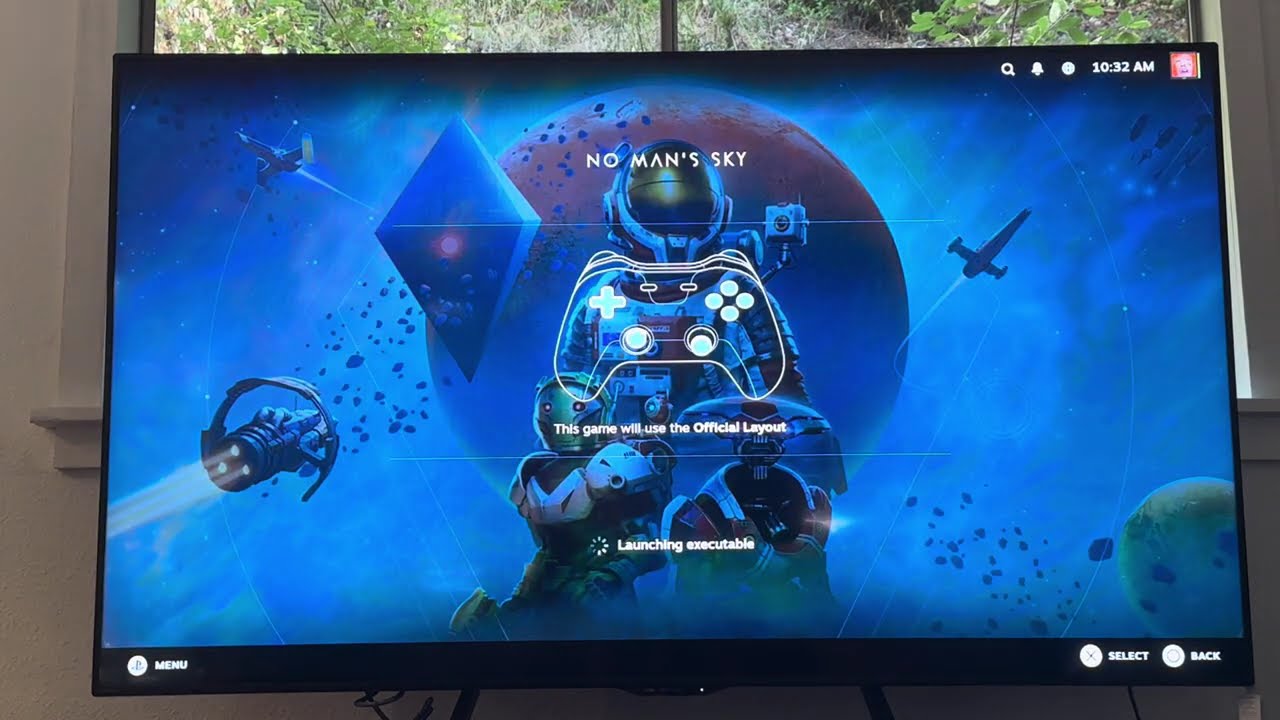
A native PS5 app for jailbroken consoles that acts as a Steam Remote Play client, allowing you to stream your PC's Steam library to your PS5. The console finds PCs running Steam on your local network, pairs with a PIN, and streams Big Picture Mode with hardware video decoding & most DualSense features. Your PC requires no additional software beyond a basic Steam installation.
Unofficial and not affiliated with Valve or Sony.
PC running Steam ──► LAN ──► PS5 homebrew app ──► your TV
Demo
What works
Tested on a PS5 CFI-2015, firmware 13.20, with etaHEN and ShadowMount+ 1.7beta4.
| Video | H.264, hardware decoded, up to 1080p60. Any stream resolution is scaled to fit, including when it changes mid-stream. |
| Audio | Opus, stereo. |
| Controller | DualSense over ScePad. Steam sees a genuine PS5 controller (VID 054C / PID 0CE6), so you get PlayStation glyphs and correct bindings. |
| Pairing | LAN discovery, PIN pairing, and the key is remembered. Auto-connects to the last PC. |
| In-stream | Options + touchpad click opens the Steam menu. Hold both 1.5 s to quit the stream. |
| Smoothness | A configurable frame buffer absorbs network jitter. |
Implemented but not verified — wired up and expected to work, but nothing has confirmed them on hardware:
- Rumble and lightbar — the commands reach the pad, but Steam's own Identify controller test doesn't route to a streamed pad, so confirming this needs a game that uses rumble.
- Gyro and accelerometer — sent in every input frame.
- HEVC and 5.1 audio — selectable, never exercised.
- More than one controller — up to four pads are enumerated and forwarded, but every test so far has used a single connected controller. Nothing with two or more pads has been tried, so local multiplayer is entirely unverified.
- 120 Hz output — never run on a 120 Hz display. On a 60 Hz panel the console declines the mode and the app stays at 60, which is the intended fallback.
Not implemented:
- PS5 microphone passthrough — completely untested, because it was never built. The
console's microphone is never captured or sent, so voice chat through the PS5 does not
work. ihslib provides the protocol side and the Opus encoder is already linked; what is
missing is console-side capture (
sceAudioIn) and registering the microphone callbacks. Since the capability is never advertised during negotiation, the host never asks for it — so nothing misbehaves, the feature simply isn't there. - Keyboard and mouse — no USB HID forwarding.
- HDR.
Not possible: using the touchpad as a trackpad. Remote Play gives the host no touchpad for a streamed controller. The touchpad click works as a normal bindable button.
What you need
On the PS5 — a jailbroken console (developed on firmware 13.20) running:
- a payload loader such as etaHEN
- ShadowMount+ 1.7beta4 or newer — required; it puts
/datainside the app's sandbox and registers homebrew on the home screen - some way to write files into
/data/homebrew/on the console. Any method works — the app doesn't care how it got there.ftpsrvon port 2121 is the usual choice (etaHEN bundles one), but a file-manager payload or a browser-based uploader such as PS5 Upload is equally fine. Only themake deployandtools/relaunch.shdeveloper helpers assume FTP specifically.
On the PC — Steam with Remote Play enabled, on the same network.
Install
Download the latest PPSA99350.zip from Releases and unpack it into
/data/homebrew/ on the console, so you end up with:
/data/homebrew/PPSA99350/
├── eboot.bin
├── sce_module/libc.prx
├── sce_sys/
└── assets/
Copy it across however you like — an FTP client against ftpsrv on port 2121, a file-manager
payload, or an uploader like PS5 Upload. ShadowMount+ notices the new title within about 15
seconds and it appears on the home screen. There is no firmware requirement baked into the
app, so the same build works on any firmware your jailbreak supports.
Building it yourself instead? See Building.
Using it
- On the PC: Steam → Settings → Remote Play → enable it.
- Launch Steam Remote Play on the console. It finds the PC on its own.
- First time only: Steam shows a PIN — type it on the console.
- It connects and streams Big Picture.
While streaming, Options + touchpad click opens the Steam menu (the PS button belongs to the console and can't be forwarded). Hold both for 1.5 seconds to leave the stream.
Press Options on the launcher for settings:
| Setting | Default | Meaning |
|---|---|---|
| Resolution | 1080p | cap requested of the host |
| Bitrate cap | AUTO | advertises 100 Mbit so Steam's own bandwidth setting decides |
| Quality | Fast | host encoder preset |
| HEVC | Off | offer HEVC instead of H.264 (unverified) |
| Auto connect | On | reconnect to the last PC without asking |
| Smoothing buffer | 2 frames | frames held back to absorb network jitter, ~17 ms each. 0 = lowest latency, more stutter |
Known issues
- Keep the PC's display awake. When it sleeps, Steam stops capturing and the stream goes black or hitches badly. This looks exactly like a bug in the app and is not one.
- Linux/Wayland hosts need
steam -pipewire, or Steam captures a black frame. Start Steam with that flag and click Share on the monitor picker. - Games see the forwarded pad as an XInput device; only Steam Input sees a DualSense. That is how Remote Play forwards controllers everywhere, not a limitation of this app.
- On a weak Wi-Fi link, loss shows up as brief artifacts rather than freezes — the client deliberately decodes through small losses instead of blanking the picture.
- Every stream logs a few decoder resets in its first seconds while the first keyframes land. Harmless and self-correcting.
Building
Linux or WSL. On Debian or Ubuntu:
sudo apt install git make ninja-build clang clang-format clang-tidy llvm lld \
                 python3 wget unzip tar
git clone --recursive https://github.com/<you>/Steam-Link-PS5
cd Steam-Link-PS5
make doctor     # checks the host for what the build needs; changes nothing
make            # fetches the PS5 payload SDK on first run, then builds
make doctor names anything missing. The first build downloads the public
PS5 payload SDK and a zlib tarball into .deps/,
both SHA-256 verified, then cross-builds ihslib, protobuf-c, Mbed-TLS and Opus from the
pinned submodules.
Output is dist/PPSA99350/ plus dist/PPSA99350.zip — the same layout as a release.
Deploy straight to a console over FTP:
PS5_HOST=192.168.x.x make deploy
For the edit-build-test loop (needs shsrv on port 2323), tools/relaunch.sh stops the title,
uploads, relaunches and tails the log:
PS5_HOST=192.168.x.x tools/relaunch.sh
The console writes /data/steamlink-ps5/log.txt, readable over FTP, and mirrors it to the
kernel log.
Cutting a release
.github/workflows/build.yml builds on every push, but a release is made by pushing a v*
tag — nothing else triggers one. Use the helper, which does the steps in the order that
matters:
tools/release.sh 1.1.0     # bumps contentVersion, commits, tags v1.1.0
git push origin main
git push origin v1.1.0
CI then builds and opens a draft release with the ZIP attached. Publish it from the Releases page — a draft cannot be downloaded, so stores and users can't see it.
You can do it entirely in the browser instead: edit sce_sys/param.json to raise
contentVersion, commit it to main, then Releases → Draft a new release, type the
matching new tag (v1.1.0), and Publish release. That creates the tag and the release
together; CI then verifies the version and uploads the ZIP into the release you just made,
leaving your notes untouched. Either route works — the only rule is that the committed
contentVersion and the tag agree, and CI fails the release if they don't.
Why the order matters: a PS5 decides an installed copy is out of date by comparing
sce_sys/param.json's contentVersion, and ps5-homebrew-catalog reads that value
from the committed param.json at the release tag. If the bump isn't in the commit the tag
points at, the listing shows a new release that no console ever offers as an update.
tools/release.sh bumps and commits it before tagging; CI re-checks that the committed value
matches the tag with tools/set-content-version.sh --check and fails the release if it
doesn't. The mapping is vMAJOR.MINOR.PATCH → NN.NNN.NNN (v1.2.3 → 01.002.003).
How it works
- Protocol — ihslib, built from a patched copy.
patches/ihslib/holds every change and PINS.md explains each one, plus why each dependency is pinned where it is. - Video — VideoDec2 hardware decode → CPU NV12→RGBA (4 threads) → tiled blit to VideoOut, behind a small frame-pacing buffer.
- Audio — Opus →
sceAudioOut. - Input — ScePad behind an ihslib HID provider advertising the DualSense VID/PID.
docs/ covers the native tooling and PS5 platform notes.
Credits
ihslib for the protocol, and its
auth branch for current Steam pairing;
ProsperoLight and
ps5-native-app-boilerplate
for the PS5 platform layer and build system; protobuf-c, Mbed-TLS, Opus and TLSF.
Licence
GPL-3.0-or-later for this repository's own code — see LICENSE and
THIRD_PARTY_NOTICES.md. The sce_module/libc.prx shipped with the
app is generated from the clean-room source in runtime/.
No Sony SDK, firmware or keys, and no Valve code, are included or required.
One exception to the licence above: sce_sys/icon0.png is the Steam Link logo, Valve's
trademark, used only to show which service the app connects to. It is not this project's to
relicense — replace it if you redistribute a modified build.
Disclaimer
This is an unofficial, community-built project. It is not affiliated with, endorsed by, sponsored by, or supported by Valve Corporation or Sony Interactive Entertainment, and neither company has any involvement in it. Do not report problems with this app to either of them.
No proprietary or licensed code is used. Nothing here is derived from, copied out of, or linked against Valve or Sony source code, SDKs, system libraries, firmware images, or signing keys, and none of those are included in a release or needed to build one:
- The Remote Play protocol comes from ihslib, an independent clean-room implementation of a protocol Valve has never published. It talks to Steam the way any third-party client does, over the network.
- The PS5 side builds against the community-maintained, publicly available ps5-payload-dev SDK — header definitions and linker stubs for system calls, written by the homebrew community, not Sony's SDK.
sce_module/libc.prxis generated from the clean-room source inruntime/.- Everything else is either original work in this repository or third-party open-source code used under its own licence, each one listed in THIRD_PARTY_NOTICES.md.
"Steam", "Steam Link" and "Steam Remote Play" are trademarks of Valve Corporation. "PlayStation", "PS5" and "DualSense" are trademarks of Sony Interactive Entertainment. They appear here only to describe, truthfully, what this software interoperates with; all marks remain the property of their respective owners.
Running homebrew requires a modified console, which may void your warranty and is entirely at your own risk. This project is for use on hardware you own, with games you own. It is provided with no warranty of any kind — see sections 15 and 16 of the LICENSE. It contains no piracy tooling and does not help you obtain, decrypt, or run software you have not paid for.